
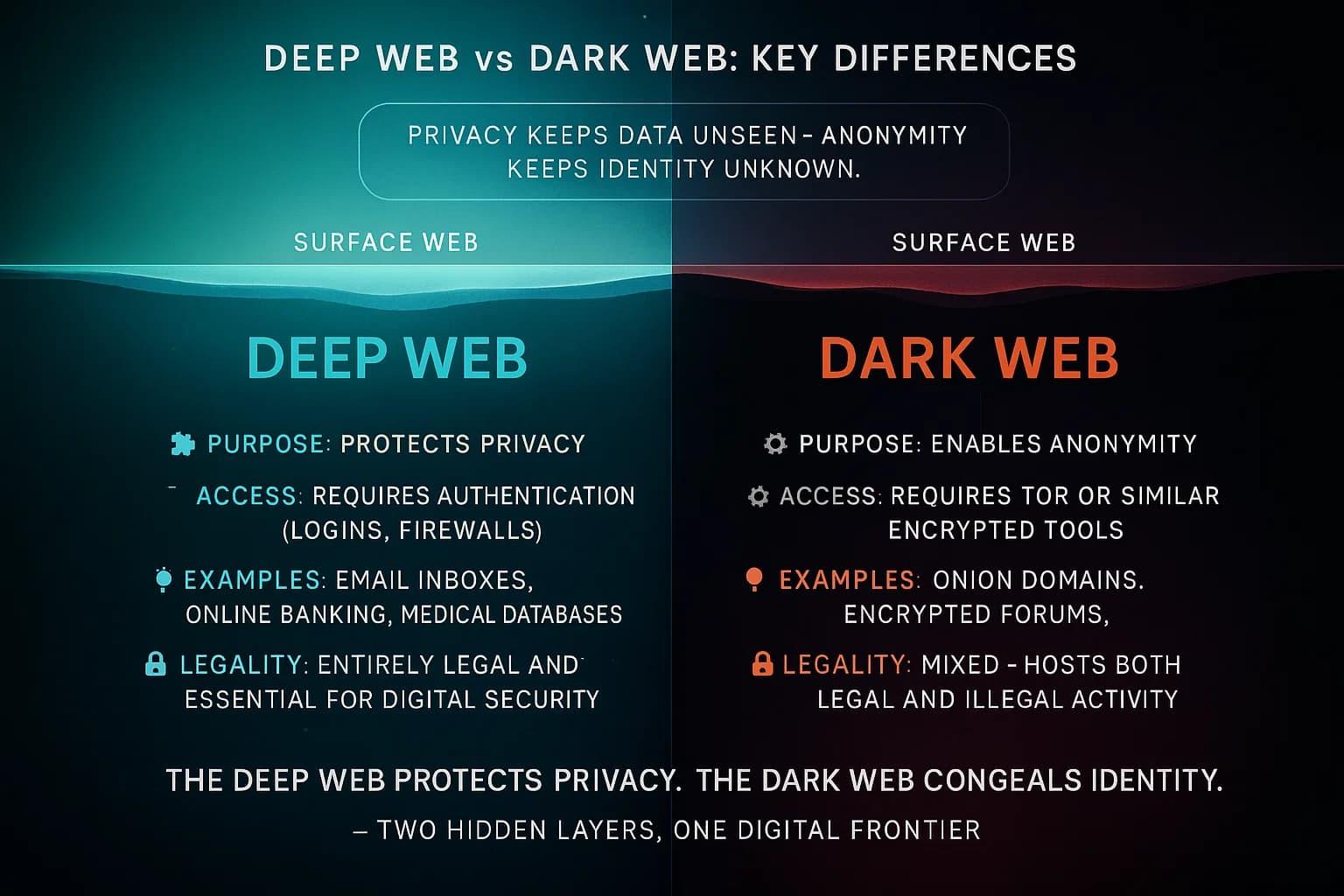
Did you know that some governments and internet providers can see you are using Tor even if they cannot see what you are doing? Tor bridges are private entry points to the Tor network that help you hide the fact that you are using an anonymity tool. While the standard Tor network is open to everyone, these bridges stay hidden from public lists to ensure your connection remains invisible to filters.
Tor bridges are essential tools for people living in regions with high digital censorship or for those who want an extra layer of privacy - these relays are not listed in the main Tor directory, which makes it very hard for a firewall to block them. If you find that your connection to the onion network is failing, a bridge is often the quickest solution to get back online.
Quick Answer
Tor bridges are secret entry nodes that allow users to connect to the Tor network in places where the service is blocked or monitored. You use them - entering specific "bridge lines" into your browser settings to bypass local internet restrictions and hide your Tor usage from your service provider.
What Are Tor Bridges?
A Tor bridge is a relay that functions just like a normal guard node but is kept off the public map. The Tor Project publishes a list of all relays so your computer knows where to connect. Because this list is public, censors can simply block every IP address on that list. Bridges solve this - remaining unlisted and shared only in small groups or upon request.
These bridges act as a middleman between your computer and the rest of the Tor network. When you use one, your internet provider only sees that you are sending data to a random, unidentified computer. They do not see the distinctive signature of the Tor protocol - this is particularly helpful for visiting sites like Dread Forum or other deep web resources without raising red flags at the local level.
People use bridges for multiple reasons
- To bypass national firewalls that block encrypted traffic.
- To hide Tor usage from employers or school administrators.
- To maintain access to information during social or political unrest.
Why You Need Bridges in 2026
The digital area in 2026 is more monitored than ever before. Automated systems now use deep packet inspection to identify and throttle privacy tools in real time. Standard connections are often not enough to maintain a stable link to the onion ecosystem. Using working Tor bridges in 2026 is becoming a standard requirement for users in many parts of the world.
Censorship often happens because of
- Wrong habits
Using standard settings in a restricted network. - Outdated info
Relying on old relay lists that are already blocked. - External limitations
Specific national firewalls designed to stop encryption.
Without a bridge, your connection might simply time out or show an error. By switching to a bridge, you are essentially "camouflaging" your traffic - this ensures that your access to onion links remains uninterrupted regardless of local network policies.
The Three Main Types of Tor Bridges
There are different ways to "wrap" your traffic so it looks like something else - these are known as pluggable transports. Each one serves a different purpose depending on how strict your local internet provider is.
Obfs4 Bridges
This is the most common bridge type - It works - making your traffic look like random noise. Because it has no recognizable pattern, it is very difficult for automated filters to detect it - it is excellent for beginners because it is reliable and fast.
Snowflake
Snowflake is a clever system that routes your data through the browsers of volunteers worldwide. To a censor, it looks like you are having a simple video call or a web chat - this is very hard to block because the "bridge" is actually just a normal person's temporary web session. It is the best choice if you are in a very restricted area where even Obfs4 fails.
Meek-Azure
This method makes your traffic look like you are visiting a major website hosted on Microsoft's cloud servers. Since most companies and countries cannot afford to block all of Microsoft, your traffic slips through unnoticed. It is much slower than other options - it is usually a last resort.
How to Get & Use Bridges Safely
Getting a bridge is a straightforward process but you must be careful about where you get the information. You should only use official sources to avoid "malicious bridges" that might try to monitor your data. The Tor Browser has many built in bridges but sometimes you need to request custom ones if the built in options are blocked.
Step 1 - Foundation Setup
Open your Tor Browser settings and look for the "Connection" tab. There is an option to "Use a Bridge" Try the "Select a Built in Bridge" option first. Choose Obfs4 or Snowflake and try to connect. For many users, this is all you need to do.
Step 2 - Fix Mistakes & Habits
If the built in bridges do not work, do not keep trying the same ones - this is a common mistake. Visit the official Bridges website or send an email to the Tor Project from a Gmail or Riseup account. They will send you "bridge lines" which are strings of text you can paste into your browser.
Step 3 - Improve Your Strategy
If you are still struggling, try changing your bridge type - Sometimes a network blocks Obfs4 but allows Snowflake. Keep a few bridge lines saved in a local text file so you can use them if you ever lose access to the main bridge website.
Safety & Best Practices for Private Browsing
Using a bridge makes you more invisible but it does not make you invincible. You still need to follow basic safety rules. Always keep your browser updated, as new censorship methods are created every day. Bridges are just one part of a larger security plan.
Problem
Your bridge connection is extremely slow.
Fix
Switch to a different bridge line - Some bridges are hosted on low bandwidth servers and can become crowded.
Problem
The bridge stops working after a few days.
Fix
This means the bridge IP address was likely discovered and blocked. Simply request a new set of bridge lines.
Problem
You cannot reach the bridge website to get a code.
Fix
Send an email to bridges@torproject.org with the phrase "get transport obfs4" in the body of the email.
FAQ
Do bridges make my internet slower?
Yes, bridges usually add an extra step to your connection, which can increase latency. Modern Obfs4 bridges are usually fast enough for normal web browsing and reading forums.
Are Tor bridges legal to use?
In most countries, using Tor and bridges is perfectly legal. They are privacy tools used by journalists and activists. You should always check your local laws if you live in a highly restrictive region.
Can my ISP see what I do if I use a bridge?
No, your ISP will only see that you are connecting to a bridge. They cannot see the websites you visit or the messages you send. The data remains encrypted from end to end.
Do I need a VPN and a Tor bridge together?
For most beginners, a bridge is enough to hide Tor usage from an ISP. Adding a VPN can sometimes make the connection more stable but it is often unnecessary and can slow down your speed significantly.
In summary, Tor bridges are the best way to stay connected when your standard access is blocked. They provide a secret path to the network and hide your activity from prying eyes. By choosing the right bridge type and following the setup steps, you can enjoy a free and open internet regardless of where you are. Stay safe and always use official sources for your bridge lines.

 English
 French
 Spanish
 Portuguese
 Deutsch
 Turkish
 Dutch
Dutch
 Italiano
 Russian
 Romaian
 Portuguese (Brazil)
 Greek
Greek